Most IPTV problems come from the playlist, the guide or the connection rather than the player. Here is how to tell which, and what Electron IPTV does about each.
Android 9+ · Phone, tablet & Android TV · No ads · 7 days free with the annual plan
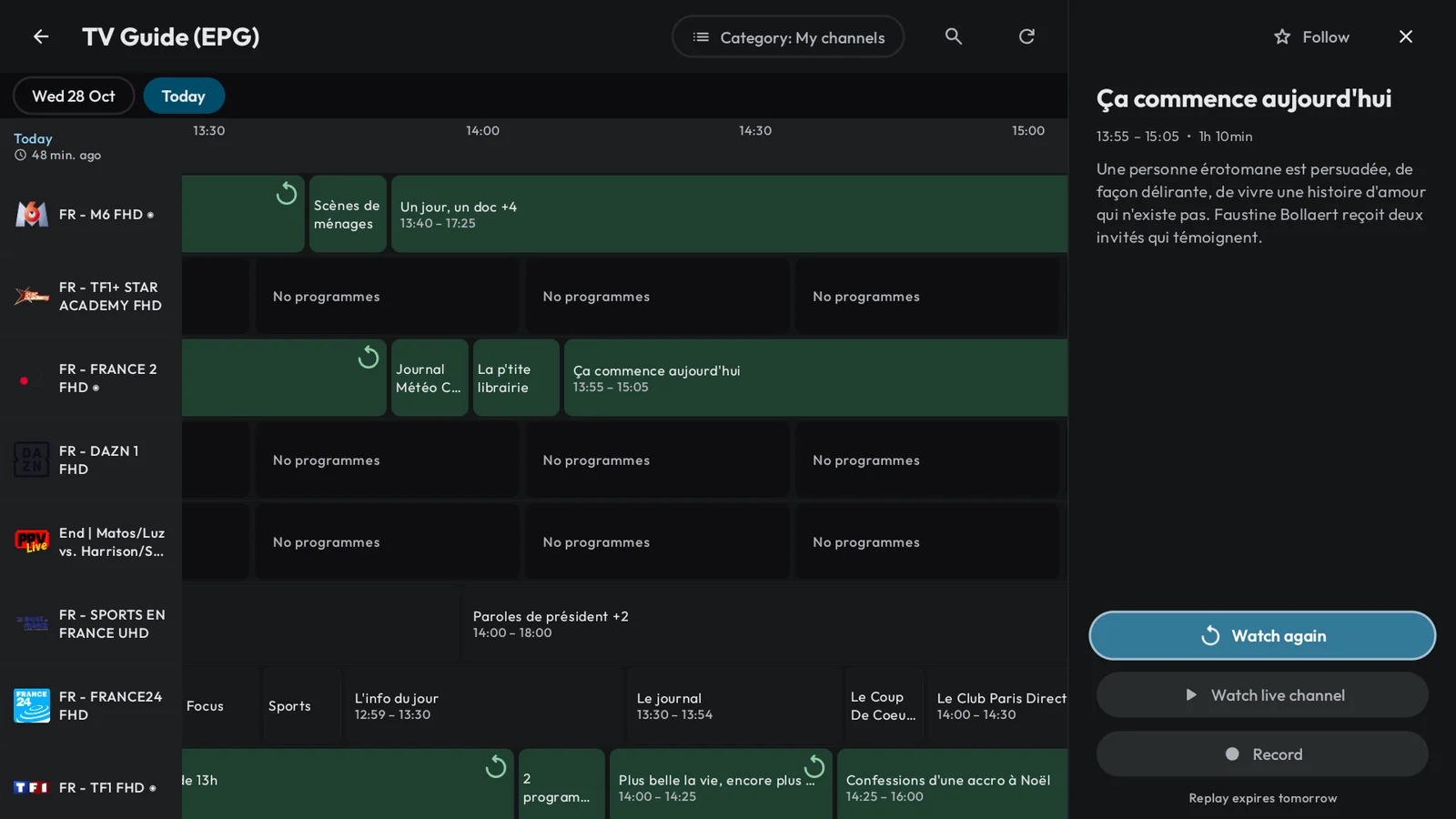
The TV guide is empty or wrong
A guide comes from an XMLTV source and has to be matched to your channels. An Xtream Codes account brings its own; an M3U list names one in its header (url-tvg). Electron matches channels even without channel IDs, and lets you fix the rest.
Add a second guide source for the channels left empty
Shift the guide times when your provider's clock is off
See when the guide was last refreshed, and choose how often it refreshes
Up to 14 days are shown, as far ahead as your provider publishes
A large playlist takes time
The first load reads the whole list; after that, Electron refreshes it in the background on the schedule you choose. Lists of nearly 100,000 items are supported. If your provider refuses your details, the error says so and opens the playlist so you can correct them.
A channel will not start
Electron tells you who can fix it: your provider, your connection or the device. A channel that will not start in one format is retried once in the other (TS or HLS) and the one that works is remembered; a channel that drops reconnects; if your list carries a backup copy of the channel, Electron switches to it. When the device cannot decode a stream, the error names the codec.
On an account that allows one connection, stop playback on your other devices first
Setting up on Android TV
Choose "Set up with your phone": the TV shows a QR code, you scan it with a phone on the same Wi-Fi, and you type or paste the details there. You can also type with the remote, or with the keyboard of the Google TV app.
Subtitles, audio and lip-sync
Pick subtitles and the audio track in the player; Electron remembers them. Subtitle size and style are in Settings. If picture and sound drift apart on a Bluetooth speaker or headset, adjust lip-sync: it is kept for each speaker.
Organising a large playlist
Hide the categories you never open (they leave search as well), lock others behind a PIN, pin the ones you want first, and rename and number your favourites.
Subscription and purchases
Purchases go through Google Play. "Restore purchases" in Settings brings your subscription back on any device signed in to the same Google account. A copy installed outside Google Play cannot subscribe or restore. To cancel, open Google Play, then Payments and subscriptions.
Questions
Why does Electron IPTV say my account has expired?
Because your provider's server says so: the expiry date comes from your Xtream Codes account. Electron warns you before it happens, on the home screen and by notification. Renew with your provider; Electron cannot extend it.
Can I watch on two devices at once?
Your Electron IPTV purchase covers every device on your Google account. How many streams can play at once is set by your provider's connection limit, shown in the account details.
Where are my downloads stored?
On internal storage or an SD card, as you choose, or a USB drive on Android TV. You can move them between storages later.
How do I contact support?
Write to support@electron.nativia.co with your device model, the app version (shown in Settings) and what you saw. Never send your provider password.