Xtream Codes or M3U, imported once. Live TV with a real programme guide, movies, series and offline downloads — on your phone, your tablet and your Android TV.
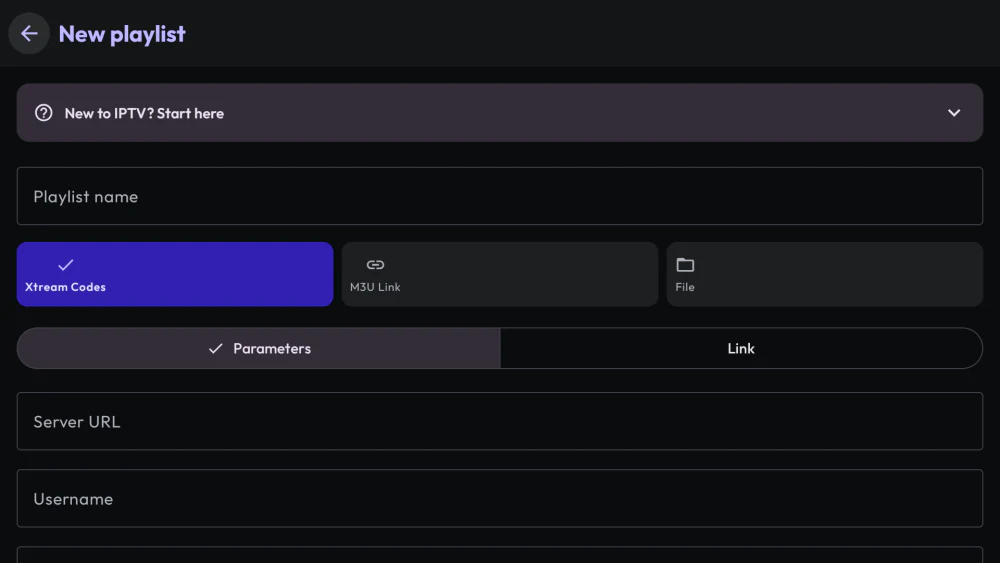
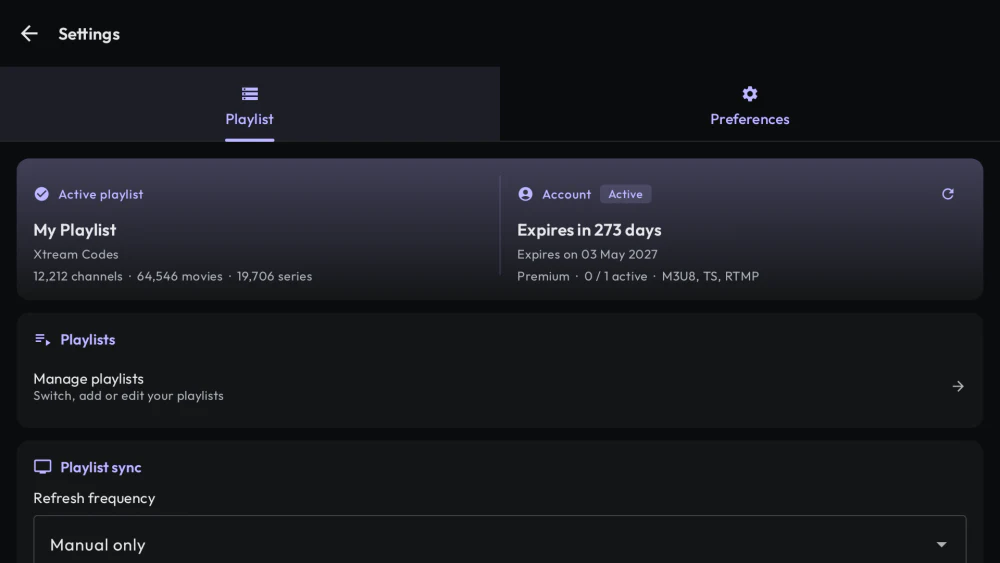
Xtream Codes API, M3U/M3U8 over URL, or a local file. Add as many playlists as you want and switch between them without losing your place.
Synchronisation that doesn't make you wait
Large playlists are the reason most IPTV apps fall apart. Electron IPTV syncs in the background, caches in memory, and uses a smarter strategy above a certain catalogue size — so a 100,000-item provider opens like a small one.
Xtream Codes, M3U/M3U8 and local files
Multiple playlists, switch in one tap
Automatic and background synchronisation
Smart sync path for very large catalogues
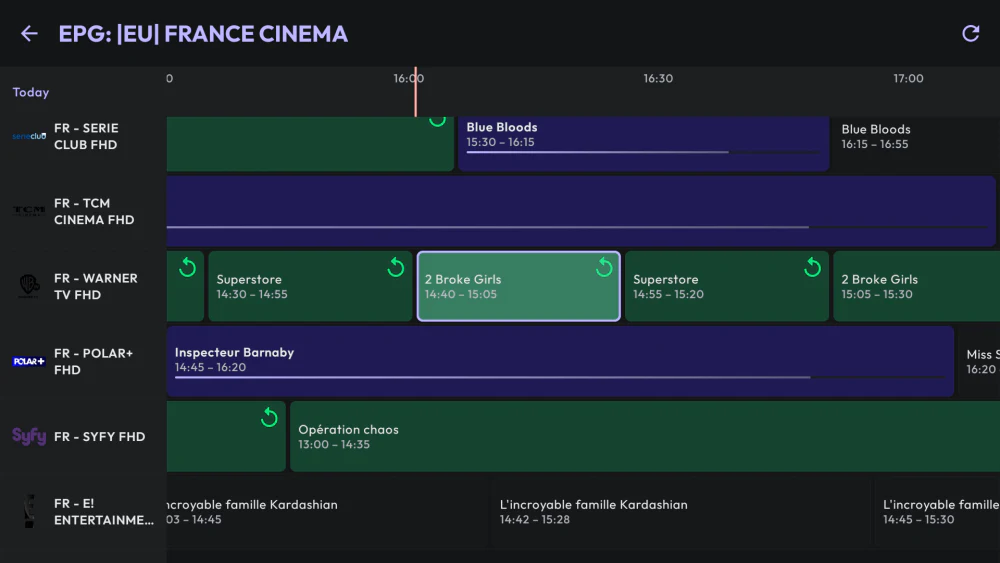
Live TV with a guide that's actually usable
Full EPG, categories that mirror your provider's structure, channel logos, and catch-up on the providers that support it. Browse categories from inside the player — no need to leave what you're watching.
TV guide (EPG) with programme details
Search the guide by programme title, on phone and on TV
Catch-up / replay on supported providers
The guide states when it was last refreshed
Category browsing without closing the player
Zap by channel number on Android TV
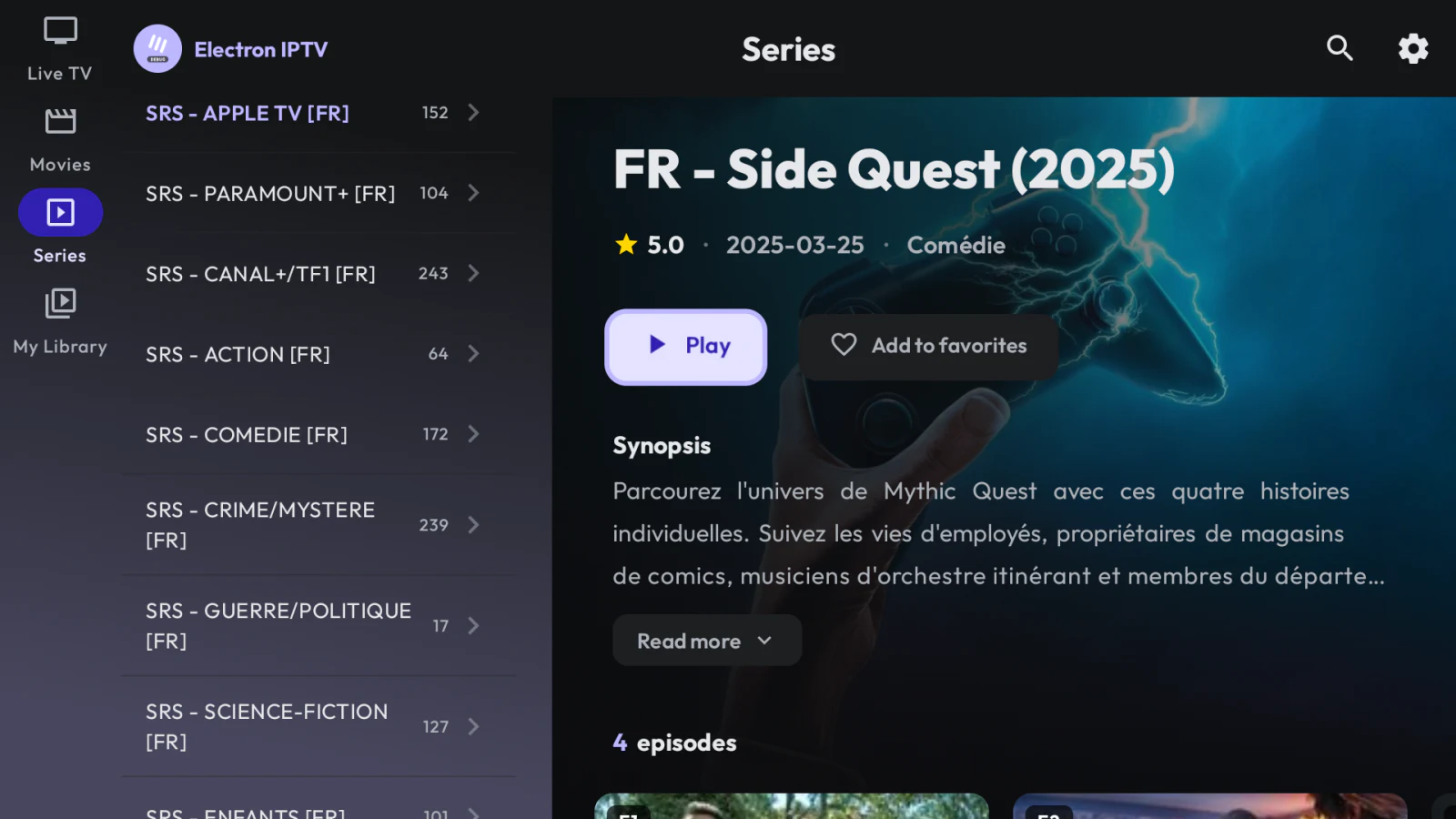
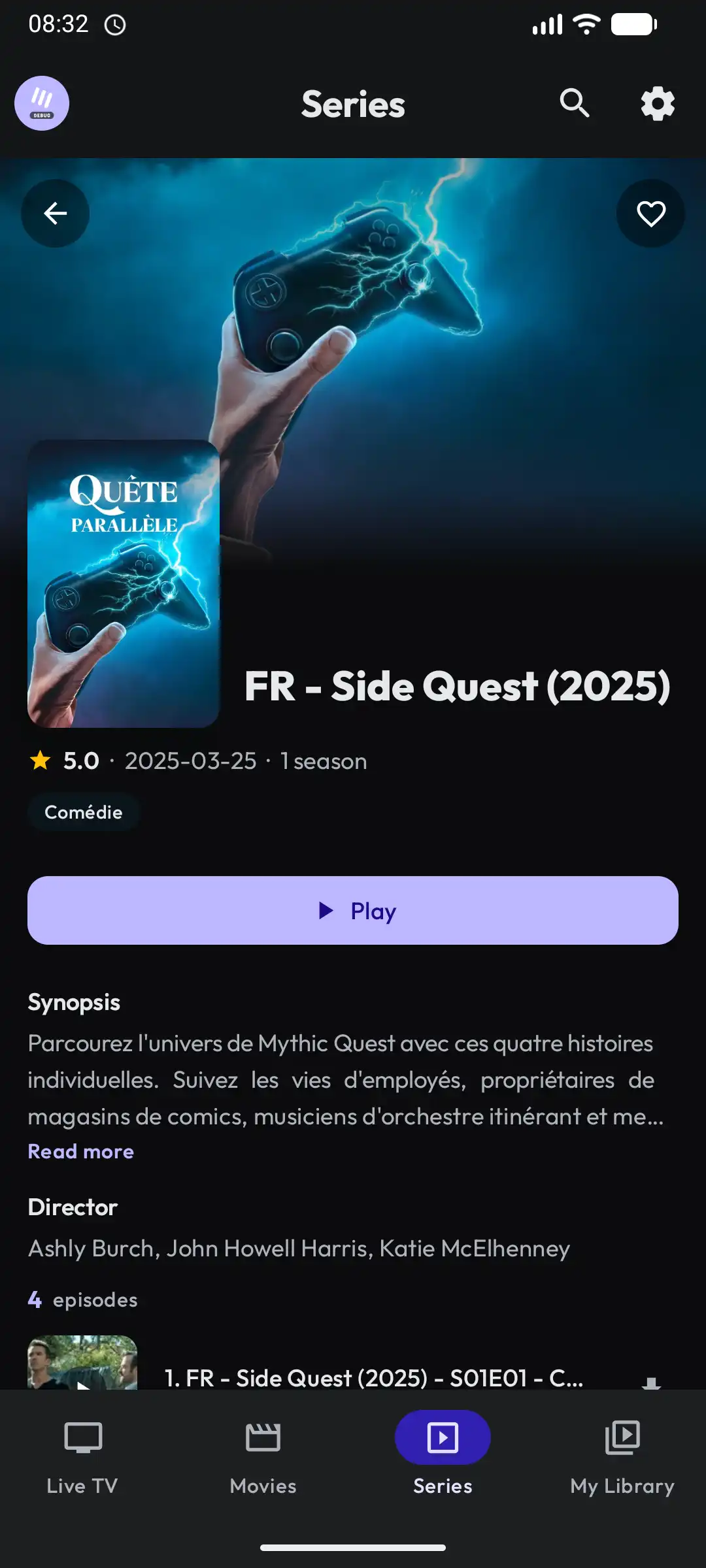
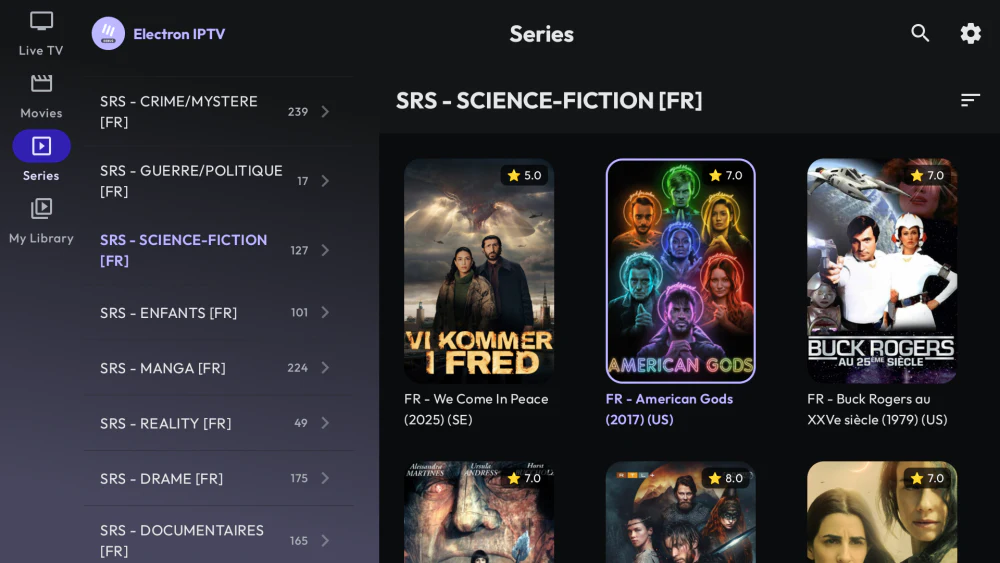
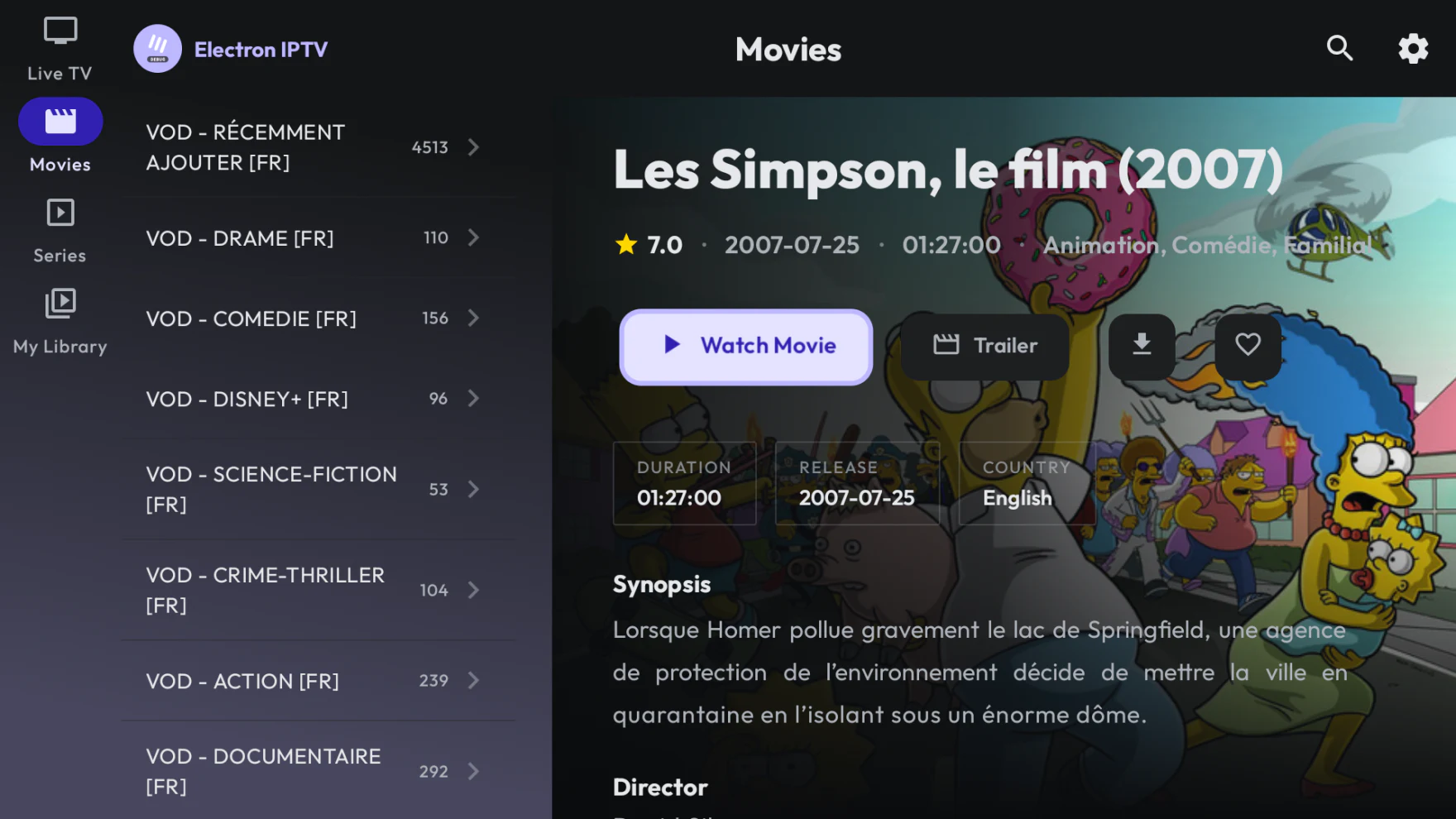
Movies and series, with the details that matter
Posters, synopses, cast, ratings and recommendations. Seasons and episodes are reachable directly from the player, and the next episode starts on its own when you want it to.
Full metadata: cast, ratings, descriptions and trailers
Season and episode browser inside the player
Resume each episode where you stopped it
Auto-play next episode, recommendations, continue watching
The player
Built on ExoPlayer. Tuned by hand.
Everything you'd expect from a modern player, plus the small things that only matter once you watch a whole season: subtitles and audio tracks that stay chosen, a clock you can leave on screen, and quality options that only list what your stream actually offers.
Subtitles that stick
Your subtitle and audio language carry over from one episode to the next, instead of resetting every time.
Chromecast
Send any channel, movie or episode to a Cast device, with reliability work done specifically for flaky networks.
Picture-in-Picture
Keep watching in a floating window while you use the rest of your phone or tablet.
Speed & quality
Playback from 0.5× to 2×, and a quality selector that shows only the renditions your stream really has.
On-screen clock
Optional clock during playback, in the format you prefer. Small feature, asked for constantly.
Search everything
One search across live channels, movies and series, scoped however you like.
Android TV
Not a phone app stretched onto a television.
A separate, native interface: built for a D-pad, with its own movie and series screens, its own player controls, its own downloads view and focus handling that actually goes where you expect.
D-pad first
Navigation and focus designed around a remote, not adapted from touch.
TV-specific screens
Dedicated movie details, series details, dialogs and downloads views.
Channel surfing
Type a channel number on the remote and go straight there.
Categories out of the way
The category panel retracts, so the grid gets the screen back when you are done choosing.
Tuned for TV hardware
Lower memory use and performance work aimed at set-top boxes and sticks.
On your device
What you keep, and who gets to see it.
Three things the app does once the watching stops — all of them on the device, none of them through a server of ours.
Offline downloads
Movies and episodes saved to the device, with pause, resume and progress, and a check against free storage before a download starts. They sit in My Library beside your favourites and history, and the screen has its own Android TV layout.
Locked and hidden categories
Lock a category and it stays visible behind a padlock until the PIN is entered. Hide one and it leaves your lists and your search results entirely — as useful against what children should not reach as against the two hundred categories you never open.
Encrypted backup & restore
Playlists, favourites, history, parental settings and subtitle style export to a single file, encrypted with a password you choose. Restore it on another device; the file is yours and never passes through us.
Under the hood
Engineered for catalogues that break other apps.
100k+
Items per playlist
Channels, movies and episodes in a single provider, without the app grinding to a halt.
In-memory
Local caching
Details screens reopen instantly instead of refetching, and memory use stays low.
Background
Synchronisation
Your library updates while you use the app, not while you stare at a spinner.
Pricing
Three days free. Then one plan for everything.
No card to start, and nothing held back once you subscribe.
Google Play sets the price for your country and shows it before you confirm. Subscriptions renew until you cancel; the lifetime purchase is paid once.
We don't have a server to store your data on.
Electron IPTV never uploads your playlists, credentials or watch history. They live on your device and nowhere else. No account to create, and nothing to sign up for — the subscription is handled by Google Play, which never tells us who you are. The app does send anonymous usage and crash data so that failures can be fixed, and one switch in Settings turns it off. Backups are yours to create, encrypted with a password only you hold. Read the privacy policy
Languages
Speaks your language
The app interface ships fully translated in five languages, picked automatically from your device settings.
EnglishFrançaisEspañolPortuguêsDeutsch
FAQ
Questions worth answering.
No. Electron IPTV is a media player and nothing else. It does not host, distribute, sell or provide any channels, movies or series. You supply your own playlist — an M3U file, an M3U URL or Xtream Codes credentials from a provider you already subscribe to — and the app organises and plays it.
It is a subscription app with a three-day free trial, and the trial needs no card and no account. There is no longer a free tier and a Premium tier: the split was removed, so everything — offline downloads, parental controls, encrypted backups, the Android TV interface — is included from the first launch, during the trial and afterwards.
Three calendar days, counted from the moment your channels have finished loading rather than from the install — so an app that never managed to read your playlist never spends your trial. The remaining time is shown in Settings, and a notification arrives the day before it ends.
A subscription is required to keep using the app, including to play downloads made during the trial. Nothing is deleted: your playlists, favourites, history and settings stay on the device and become available again the moment you subscribe.
Monthly, annual or a one-off lifetime purchase. The price is set per country through Google Play, so it varies with your region and local currency — open the app to see the exact price where you are, before committing to anything. Subscriptions renew automatically and can be cancelled at any time in Google Play.
You are not treated as a new install. Existing users get a two-week notice period instead of the three-day trial, and a reduced price reserved for early users that stays open for three weeks — a week longer than the notice, so there is room to reconsider. Nothing is deleted in the meantime.
No. Google Play billing is unavailable on a sideloaded copy, so neither subscribing nor restoring a purchase can complete there. Install the app from Google Play instead. If you have already subscribed, "Restore purchases" brings the subscription back on any device signed in to the same Google account.
Xtream Codes API (server, username and password), M3U and M3U8 playlists over a URL, and local playlist files stored on your device. You can add several playlists and switch between them at any time.
Yes, with a dedicated native interface rather than the phone layout scaled up. It has its own movie and series detail screens, player controls, downloads view, EPG navigation and focus handling, all designed for a remote control.
Providers with more than 100,000 combined channels, movies and episodes are supported. Above a certain catalogue size the app switches to a synchronisation strategy built for scale, and keeps syncing in the background so you can start watching before it finishes.
On your device only. Playlists, provider credentials, favourites, watch history and settings never leave it — there is no Electron IPTV server to send them to. What does leave is anonymous usage and crash data, sent through Firebase so that broken streams and crashes can be diagnosed: generic events, never the names of what you watch, and switchable off in Settings. Backups are files you create and control, encrypted with a password you choose. Clearing the app data in Android settings removes everything.
Import a playlist. Start watching.
Three days free, no card required. No account, no sign-up, nothing to configure beyond your provider details.