Does Electron IPTV provide channels or content?
No.
Electron IPTV is a media player and nothing else. It does not host, distribute, sell or provide any channels, movies or series. You supply your own playlist (an M3U file, an M3U URL or Xtream Codes credentials from a provider you already subscribe to) and the app organises and plays it.
Why is Electron IPTV the best IPTV player?
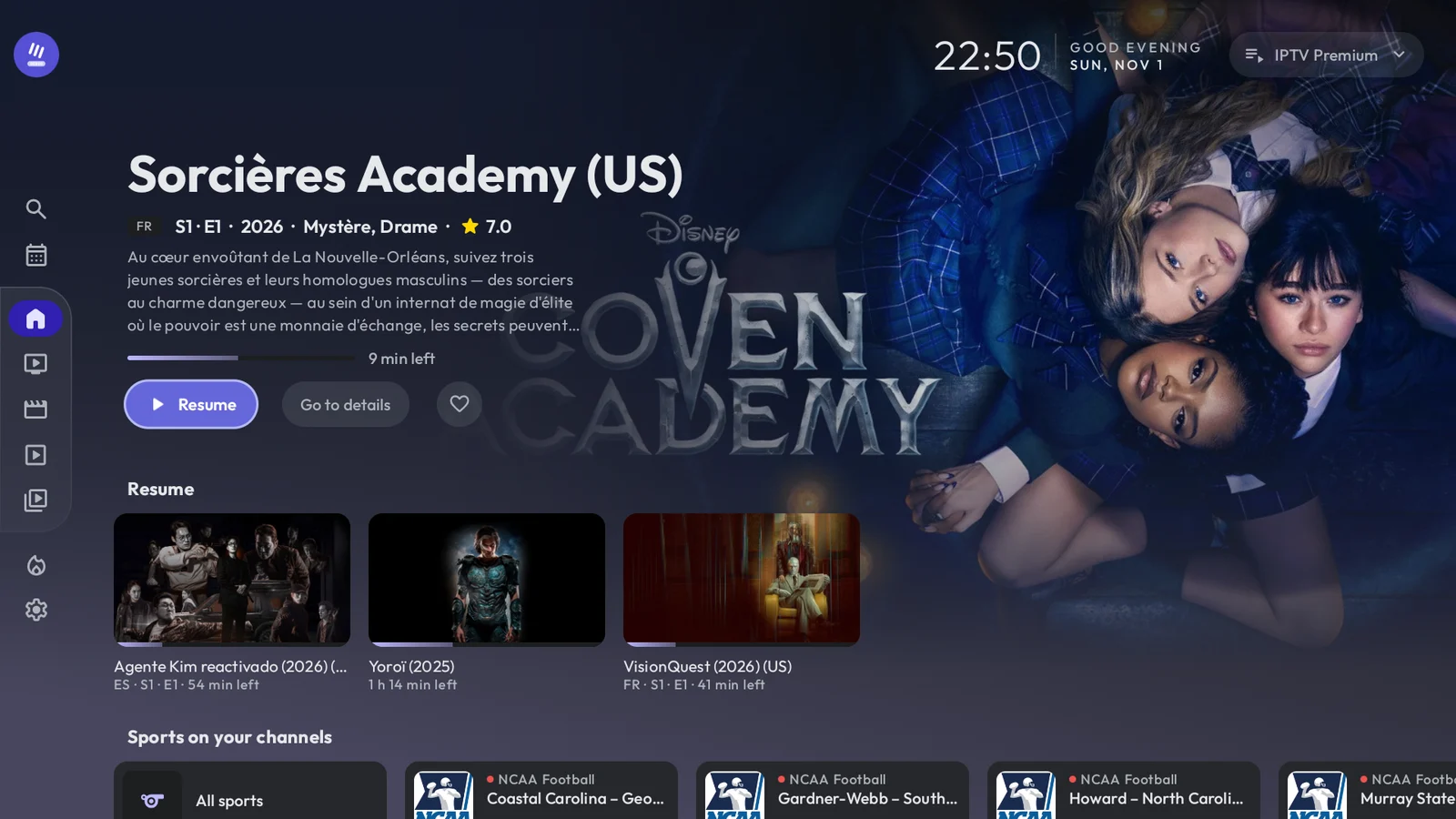
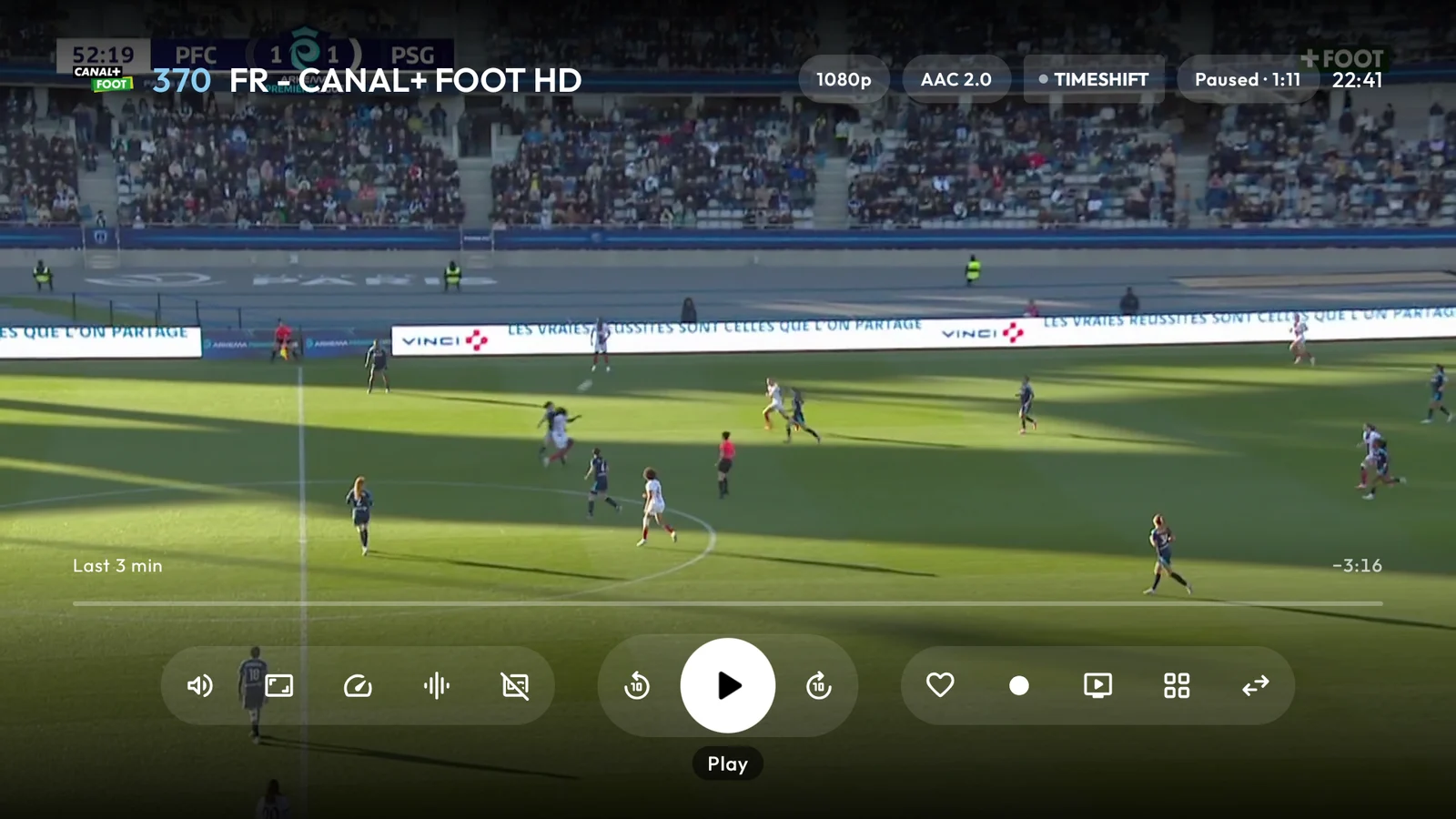
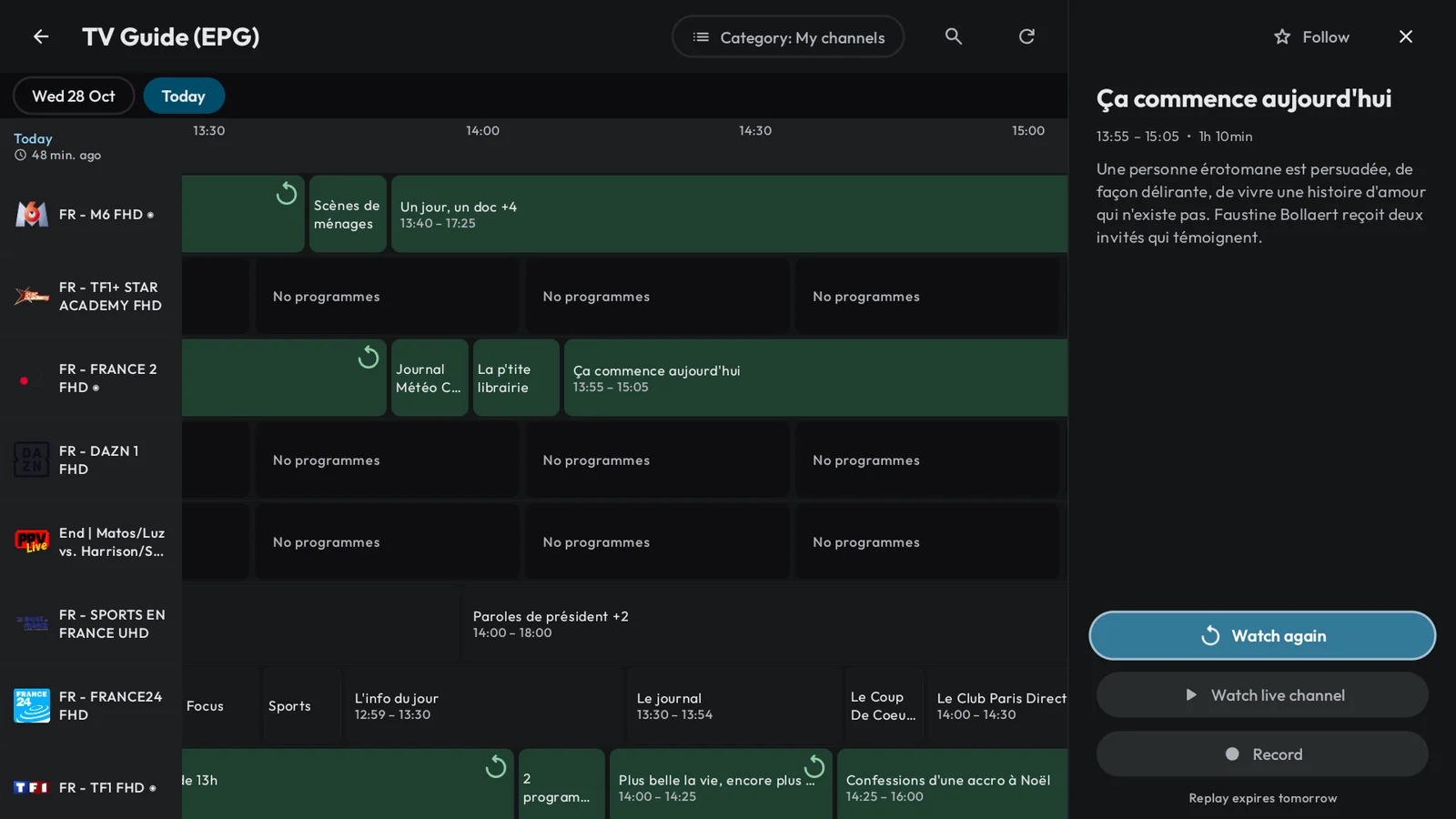
Because it is built to work every evening, on every Android screen: your phone, your tablet, your foldable, Android TV and Google TV. A channel that freezes is played a few seconds behind live, with a bigger reserve; one the server drops reconnects on its own, or switches to another copy of itself in your playlist; and when something does fail, the message says who can fix it. The doorbell rings, you pause the live channel and pick it up where you left it, up to an hour later. You type “titanik” and Titanic is there. Electron IPTV plays the Xtream Codes or M3U playlist you already have, with a 14-day TV guide, a Sport screen built from your own guide, Multiview with up to four channels within your account’s limit, and playlists of nearly 100,000 items that stay quick to browse. On Android TV every screen is built for the remote; your phone sets the TV up with one scan, then each offers to continue what the other was playing. One purchase covers every Android device on your Google Play account, your playlists and history never leave your devices, and not one screen carries an ad. Try it free for seven days with the annual plan: after one evening, it is hard to go back.
Is Electron IPTV free?
It is free to install, then it needs a subscription: monthly, annual or a one-off lifetime purchase, and the annual plan starts with seven days free. There is no free tier and Premium tier: everything (live pause, Multiview, the Sport screen, offline downloads, parental controls, encrypted backups, the Android TV interface) is included in every plan, and in the trial.
Is there a free trial?
Yes: seven days, with the annual plan, for Google accounts that have never subscribed to Electron IPTV. Google Play runs it: you choose the annual plan, confirm with your Google account, and pay nothing for seven days. Cancel in Google Play at least 24 hours before they end and you are not charged; otherwise the first year is billed when they end. The monthly plan and the lifetime purchase have no trial.
What happens when the trial ends?
Google Play bills the first year of the annual plan, which then renews each year until you cancel. If you cancelled, Electron IPTV asks for a subscription again, including to play your downloads. Nothing is deleted: your playlists, favourites, history and settings stay on the device and come back the moment you subscribe.
How much does the subscription cost?
Monthly, annual or a one-off lifetime purchase. The price is set per country through Google Play, so it varies with your region and local currency. Open the app to see the exact price where you are, before committing to anything. Subscriptions renew automatically and can be cancelled at any time in Google Play.
Does Electron IPTV show ads?
No.
There are no ads in Electron IPTV, on any screen, and no advertising SDK in the app. It is paid for by its subscription.
Can I subscribe on a copy installed outside Google Play?
No.
Google Play billing is unavailable on a sideloaded copy, so neither subscribing nor restoring a purchase can complete there. Install the app from Google Play instead. If you have already subscribed, "Restore purchases" brings the subscription back on any device signed in to the same Google account.
Which playlist formats are supported?
Xtream Codes API (server, username and password), M3U and M3U8 playlists over a URL, and local playlist files stored on your device. On a phone or tablet you can paste the message your provider sent and the form fills itself. You can add several playlists and switch between them at any time.
Can I use Electron IPTV instead of TiviMate or IPTV Smarters?
Yes.
Electron IPTV reads the same Xtream Codes accounts and M3U links as those players, so the details your provider gave you work as they are. Paste the provider's message and the form fills itself. It runs on Android phones, tablets and Android TV, and one purchase covers all of them on the same Google Play account.
What should I look for in an IPTV player for Android TV?
A native TV interface rather than a phone layout stretched onto the screen; Xtream Codes and M3U support; playback that recovers when a stream stumbles; a programme guide you can actually read, with catch-up; speed on very large playlists; and a player that keeps your data on the device. Electron IPTV is built around exactly those, and adds live pause, Multiview and a Sport screen read from your own guide.
Can I pause live TV?
Yes, on any live channel your provider streams in HLS or TS, which is nearly all of them. The device keeps up to an hour of what you paused, depending on its memory; you can rewind within it, then return to live in one press. Starting a programme from the beginning, or watching it again later, depends on your provider keeping a replay.
How many channels can Multiview play?
Up to four at once, depending on the device (it takes four video decoders and enough memory), on Android TV, phones and tablets, live video channels only. Each tile is a stream from your provider, so Multiview first reads how many connections your account allows and never opens more; a tile it cannot open says why.
How do I set up Electron on my TV?
Type your details with the remote, or set it up from your phone: the TV shows a QR code, you scan it, and your provider's details (or your phone's whole setup, with its favourites and reminders) travel over your home Wi-Fi, encrypted. You still confirm on the TV.
Does it run on Android TV?
Yes, with a dedicated native interface rather than the phone layout scaled up. It has its own home, movie and series screens, player controls, guide, voice search, Multiview and focus handling, all designed for a remote control.
How large can a playlist be?
Large ones: the real playlist we test Electron with holds 99,668 channels, films and episodes. Electron reads a list as it downloads, keeps it on the device and refreshes it in the background on the schedule you choose. You can keep up to ten playlists.
Where is my data stored?
On your device only. Playlists, provider credentials, favourites, watch history and settings never leave it: there is no Electron IPTV server to send them to. Copying a phone onto a TV goes directly between the two, over your home Wi-Fi, encrypted. What does leave is anonymous usage and crash data, sent through Firebase so that broken streams and crashes can be diagnosed: generic events, never the names of what you watch, and switchable off in Settings. Backups are files you create and control, encrypted with a password you choose. Clearing the app data in Android settings removes everything stored on the device.
Can I download films and series to watch offline?
Yes.
Download a film, an episode or a whole season to internal storage or an SD card (a USB drive on Android TV), on Wi-Fi only if you prefer. Downloads play without a connection while your subscription is active. What you can download depends on your provider, and on an account that allows one connection, downloads pause while you watch.
Does Electron IPTV have parental controls?
Yes.
A four-digit PIN locks the categories you choose, and an eight-digit recovery code resets it if you forget it. Adult categories are flagged automatically and ask for a confirmation before they open. You can also hide categories altogether, which removes them from search.